Invoice vs Purchase Order: What Order Form Teams Should Know
Confused about POs vs invoices? This guide explains timing, purpose, and which document your order form should feed.
Retail customers click “buy” and pay. B2B buyers often run a longer chain: request, approve, receive, pay. Two documents sit at the center of that chain: the purchase order (PO) and the invoice. If you run wholesale order forms or distributor programs, understanding both keeps finance calm and warehouses shipping the right quantity.
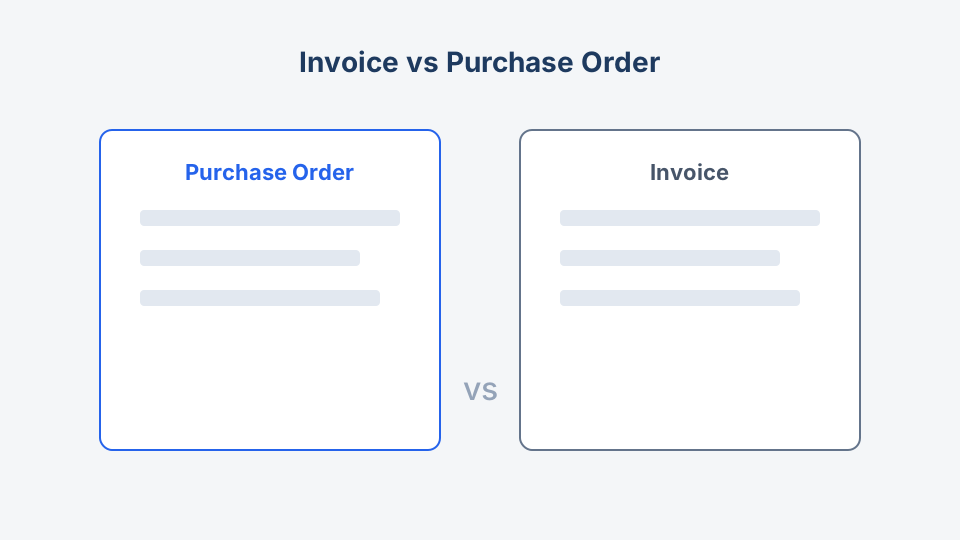
Quick comparison
| Aspect | Purchase order | Invoice |
|---|---|---|
| Created by | Buyer | Seller |
| Purpose | Authorize purchase | Request payment |
| Typical timing | Before or at order placement | After delivery or per schedule |
| Legally | Offer to buy under your terms | Demand for payment |
| Numbering | PO number (buyer system) | Invoice number (seller system) |
| Payment info | Usually none | Due date, bank details, terms |
Neither document replaces a friendly product order form customers fill on your site. Instead, think of the customer-facing form as the front door and PO/invoice as structured records finance and ERP systems need.
What is a purchase order?
A purchase order is a formal document (or electronic record) the buyer sends to a supplier saying: we want these items, at these prices, delivered here, under these terms.
Why buyers use POs
- Budget control: Encumbrance before money leaves the bank
- Approval workflow: Manager signs off over a threshold
- Audit trail: Match what was ordered vs received vs billed
- Contract enforcement: Reference agreed pricing and SKUs
Common PO fields
- Buyer and vendor legal names and addresses
- PO number and date
- Ship-to and bill-to
- Line items: SKU, description, qty, unit price, line total
- Subtotal, tax, freight
- Requested delivery date
- Payment terms reference (Net 30, prepaid, etc.)
- Authorized signature or electronic approval
Our B2B purchase order form template mirrors these fields for teams that still start on paper or PDF before ERP entry.
What is an invoice?
An invoice is the seller’s bill. It says: we provided (or committed to provide) these goods or services; please pay this amount by this date.
Common invoice fields
Everything on a PO, plus:
- Invoice number and issue date
- Payment due date
- Remittance instructions (ACH, wire, check)
- Late fee language if applicable
- Reference to PO or order number
For recurring wholesale relationships, invoices may arrive on a schedule (weekly statements) while POs cover individual releases.
How the documents flow together
A typical B2B sequence:
Customer order form → Internal approval → PO issued → Pick/pack/ship →
Goods receipt → Invoice received → Three-way match → Payment
Three-way match means accounts payable compares:
- Purchase order (what you agreed to buy)
- Receiving report or packing slip (what arrived)
- Invoice (what the vendor bills)
When all three align, payment is low risk. When your distributor order form captures wrong SKUs, invoices get stuck in dispute queues.
Where customer order forms fit
| Business model | Role of order form | PO / invoice |
|---|---|---|
| B2C ecommerce | Checkout is the order | Receipt + invoice/receipt email |
| Wholesale portal | Logged-in buyer cart | Buyer PO optional; seller invoice |
| Manual B2B email | PDF/Word order form | Buyer sends PO; you invoice |
| Hybrid | Online form for request | Sales converts to PO in ERP |
If you only sell to consumers, you may never issue a PO. You still issue invoices or receipts depending on tax rules and platform.
B2C vs B2B: what to publish on your site
B2C: Focus on clear cart totals, shipping, returns, and payment security. Link to policies from food or apparel templates as examples.
B2B: Publish how to order (form URL), whether you require a PO number on the form, credit application steps, and invoicing contacts. Large buyers often refuse to pay without a valid PO reference on your invoice.
Matching numbers across systems
Train staff and customers to repeat the same references everywhere:
- Customer order ID (from web form)
- PO number (buyer ERP)
- Sales order number (your ERP)
- Invoice number (accounts receivable)
A single wholesale order form submission should map cleanly. Add an optional “PO number” field if buyers issue POs after your form; or require PO upload for credit accounts.
Pricing and tax on POs vs invoices
- PO should lock unit price or reference a contract price list version.
- Invoice must reflect what actually shipped (partial shipments create multiple invoices).
- Tax depends on jurisdiction and buyer VAT status; B2B reverse charge may apply in EU trade.
Document who recalculates tax if quantity changes between PO and shipment.
When invoices and POs disagree
Common mismatches:
| Problem | Prevention |
|---|---|
| Quantity billed higher than received | Scan barcodes at receipt; partial ship workflow |
| Price on invoice differs from PO | Honor contract list; flag overrides in CRM |
| Missing PO on invoice | Reject AP until PO linked |
| Duplicate invoices | Invoice number uniqueness check |
Resolve with credit notes or revised invoices, not informal email threads alone.
Order forms, printable templates, and ERP
Many teams start with:
- Customer completes form on Order Form Templates site clone or PDF
- Sales enters approved order in ERP (PO generated)
- Warehouse fulfills
- Finance emails invoice from accounting software
Automation later replaces step 2 with API webhooks from form tools. Until then, field parity between your form and PO template prevents retyping errors.
Browse printable downloads if buyers need a signed paper trail before they load your PO into SAP, NetSuite, or QuickBooks.
Checklist: align form, PO, and invoice
- SKUs and descriptions identical across all three documents
- Units of measure consistent (case vs each)
- Tax and freight rules documented
- PO number field on form if buyers require it
- Payment terms visible before submit
- Returns and short-ship policy linked
- Finance trained on three-way match thresholds
Key takeaway
Purchase orders authorize spending; invoices collect payment. Your public order form captures demand; POs and invoices discipline B2B money flow. Design fields once, reuse references everywhere, and finance spends less time fixing mismatches.
Credit notes, deposits, and partial billing
Not every order maps to one PO and one invoice:
- Deposits: Customer pays 50% on order; invoice balance on ship. Your form should state deposit rules; finance issues deposit invoice, then final invoice.
- Partial shipments: Multiple invoices against one PO are normal. Receiving must track partial quantities.
- Credit notes: Seller issues negative invoice lines for returns or pricing fixes. Link credit notes to original invoice numbers.
Retail receipts vs B2B invoices
Consumers expect a receipt immediately after card payment. B2B buyers expect an invoice with payment terms. Using the wrong document name confuses accounts payable. Configure your ecommerce platform or form tool emails accordingly.
Software mapping cheat sheet
| System | Usually owns |
|---|---|
| Web order form | Customer-facing capture |
| CRM | Opportunity, quote approval |
| ERP | PO, inventory, fulfillment |
| Accounting | Invoice, payment, GL |
When software is new, keep the B2B purchase order form PDF as a bridge until integrations are live.
For the next step, see essential order form fields or set up a new flow with our step-by-step order form setup guide.