Essential Order Form Fields: What Every Order Form Needs
Cut abandoned orders and fulfillment errors by including the right fields, and nothing extra, on every order form you publish.
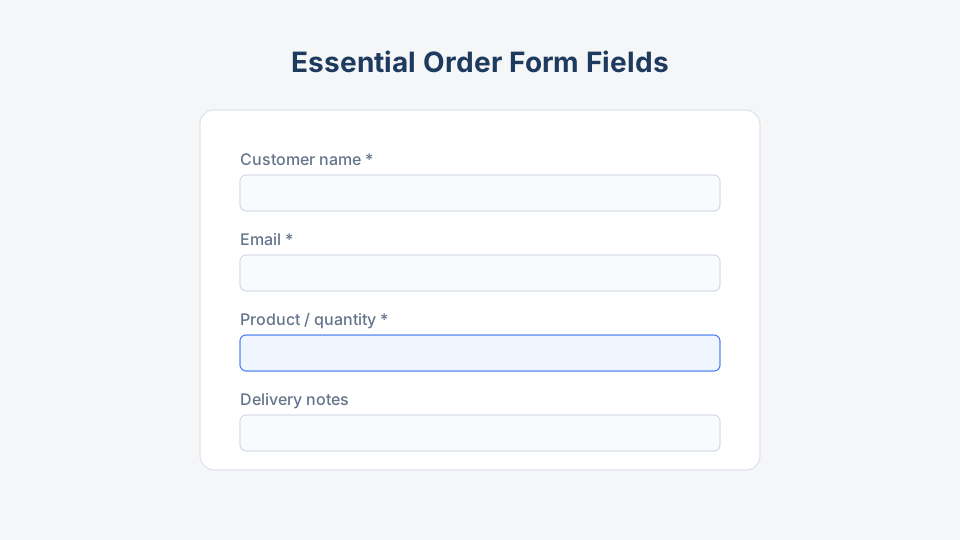
The best order forms look short and collect everything your team needs on the first try. Missing a size or delivery window costs more than an extra optional field ever will. This guide lists essential order form fields, when to require them, and how categories on Order Form Templates extend the baseline.
Core fields (almost always include)
Customer identity and contact
| Field | Required? | Why it matters |
|---|---|---|
| Full name | Yes | Packing labels, support |
| Yes | Confirmations, async questions | |
| Phone | Optional | Courier, day-of issues |
| Company name | B2B only | Invoicing, credit checks |
Mirror this block on the product order form and every category template before you add specialty inputs.
Order line items
At minimum each line needs:
- Product or service identifier (dropdown, SKU, or catalog link)
- Quantity (numeric validation, min/max)
- Unit or line price (fixed, or “quoted” for custom jobs)
For configurable goods, add controlled option fields:
- Size, color, material (apparel)
- Flavor, frosting, inscription (bakery order forms)
- Part number, revision (industrial)
Avoid free-text “what do you want?” unless you sell fully custom work; use custom product order form patterns with structured spec fields instead.
Order metadata
- Order date (auto-filled hidden field is fine)
- Order or reference number (generated after submit)
- Requested delivery or event date (critical for food and pre-orders)
Fulfillment fields
Choose the set that matches your model:
| Model | Fields |
|---|---|
| Shipping | Address, city, postal code, country, shipping method |
| Local pickup | Pickup location, date, time slot |
| On-site service | Venue address, access instructions, contact on site |
| Digital | Email or account ID only; no shipping |
Food order form examples often need time window and dietary restrictions. T-shirt order forms need size breakdown per design.
Payment and money fields
| Field | When to include |
|---|---|
| Subtotal / tax / shipping / total | Fixed-price catalog orders |
| Promo code | Campaigns with codes |
| Payment method | Cash on pickup, card, invoice |
| PO number | B2B buyers who pay on terms |
| VAT / tax ID | Cross-border B2B |
If payment happens outside the form (invoicing), state that near the submit button and link to invoice vs purchase order expectations.
Trust, policy, and compliance
- Terms acceptance checkbox (linked text, not a wall of legalese)
- Privacy policy link (required for GDPR-aware flows; see GDPR tips)
- Marketing opt-in (unchecked by default)
- Age gate (wine, certain regulated goods; use wine order form as a reference for extra caution)
Fields you can usually skip
Remove these unless you have a documented reason:
- Second email address
- Fax number
- “How did you hear about us?” on mobile checkout (move to post-purchase survey)
- Long narrative essays (replace with structured options)
- Duplicate address blocks when 95% of orders ship to billing address
Industry add-ons
Apparel and merchandise
- Garment type, brand, color
- Size grid or per-size quantity matrix
- Personalization text (max length validated)
- Sample: bulk t-shirt order form
Food and catering
- Menu item modifiers
- Allergen acknowledgment
- Service style (plated, buffet, boxed)
- Sample: catering order form
Wholesale and B2B
- Account number
- Ship-to ID
- Minimum order acknowledgment
- Buyer contact separate from accounts payable email
- Sample: wholesale order form
Pre-orders and limited drops
- Deposit amount or full pay rules
- Cancellation policy checkbox
- Pickup wave or batch ID
- Sample: pre-order form
Catalog and multipage orders
- Page or catalog reference
- Line-level notes
- Sample: catalog order form
Validation rules that prevent bad orders
| Rule | Example |
|---|---|
| Numeric quantity | No “two” in a text box |
| Min/max per SKU | MOQ 12 on wholesale |
| Mutually exclusive options | Cannot pick two exclusive finishes |
| Required file upload | Logo vector for print shop jobs |
| Date lead time | Bakery orders 48 hours out |
Test validations with the scenarios in step-by-step order form setup.
Layout and accessibility
- Associate every input with a
<label> - Mark required fields in text and with
aria-required - Do not rely on placeholder text as the only label
- Error messages should name the field and the fix
- Large tap targets on mobile (44px minimum)
Printable vs online
Printable order forms need extra spacing for handwriting and checkboxes instead of tiny dropdowns. Keep the same logical sections so data entry into your system is identical whether the paper came from a fundraiser or a trade show.
Field checklist before publish
Contact
- Name and email required
- Phone optional unless courier requires it
Order
- Product/SKU identified
- Quantity validated
- Options structured, not one vague text box
Fulfillment
- Correct method (ship, pickup, digital)
- Date or window if time-sensitive
Money
- Totals visible or quote process explained
- PO/tax fields only if used in AP
Legal
- Terms + privacy linked
- Marketing separate from checkout
Build from templates
Start from a proven slug in our library rather than inventing field names:
- General retail: product order form
- Custom jobs: custom product order form
- Apparel: t-shirt order form
- Wholesale: wholesale order form
Clone online via linked builders or download PDF/DOCX from the template page, then delete fields your operation does not use.
Key takeaway
Hidden fields and automation
Not every field should be visible. Useful hidden or pre-filled values include:
- UTM campaign (marketing attribution)
- Sales rep ID (B2B portals)
- Price list version (contract auditing)
- Locale or currency (international storefronts)
Set these via URL parameters your form tool supports, or fixed defaults for single-campaign landing pages.
Accessibility and error copy (examples)
Weak error: “Invalid input.”
Strong error: “Enter a quantity between 1 and 99 for Adult Hoodie, Navy.”
Strong labels name the product and constraint so screen reader users and mobile shoppers recover without calling support.
Working with operations
Give ops a one-page “field dictionary” that explains:
- What each dropdown value means in the warehouse
- How to handle “other” text when someone bypasses SKU lists
- Who to escalate to when payment status is “pending”
When ops understands the form, they stop asking customers to resubmit.
Seasonal field changes
Document a calendar for fields that appear only part of the year:
- Gift message lines (November to December)
- Fair date selector (spring carnival)
- Heat-sensitive shipping waiver (summer chocolate sales)
Archive old versions instead of deleting them so last year’s orders stay interpretable in your database.
Essential order form fields answer four questions: who, what, how to deliver, and how money moves. Everything else is optional seasoning. Ship the shortest form that still lets ops fulfill without callbacks, and add fields only when real orders prove the gap.