 Jotform
Ice Cream Order Form Template
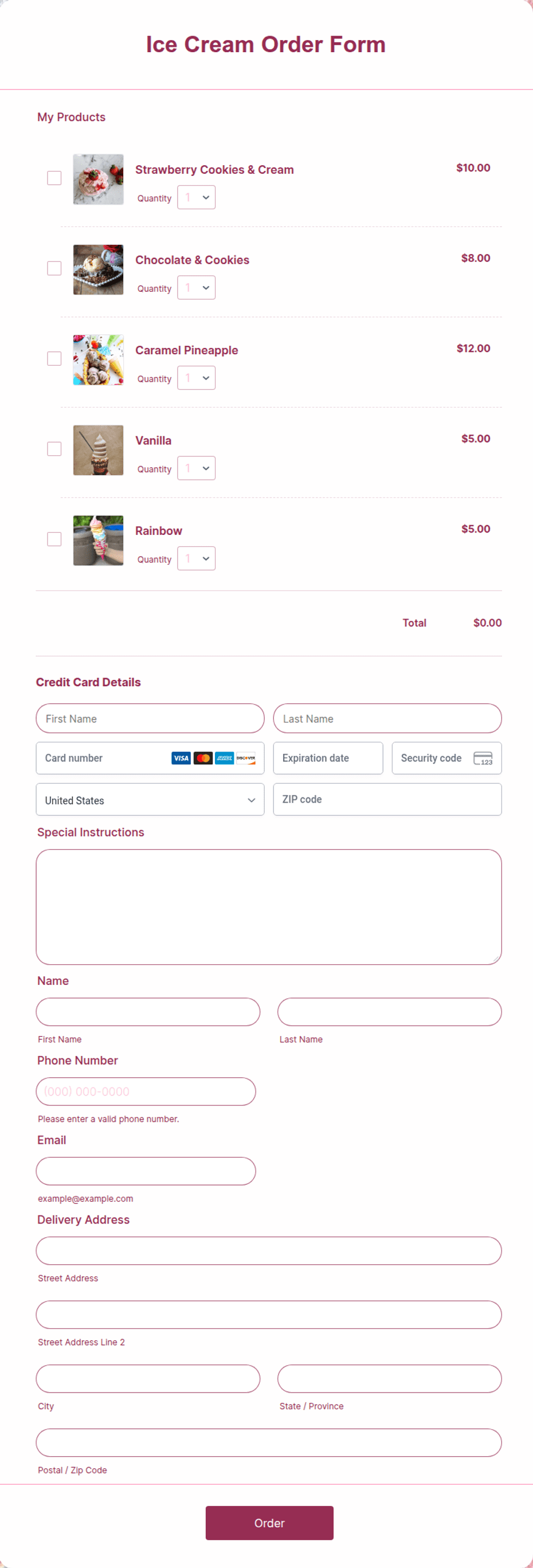
Ice cream order form for scoops, pints, toppings, and party tub pre-orders.
Available online on
Download as
- Free PDF and Word downloads for offline use
- Fillable fields you can customize for your business
- Share a link or print copies for in-person sign-ups
- Ready-made online forms on popular form builders
Last updated May 20, 2026. Reviewed by the Order Form Templates team.
About this template
A Ice Cream Order Form gives restaurants, caterers, food trucks, and meal-prep operators a consistent way to record what customers want before you fulfill the order. Ice cream order form for scoops, pints, toppings, and party tub pre-orders.
Unlike a blank spreadsheet, this layout separates contact details from line items so staff can scan submissions quickly. Common fields include customer name, phone, pickup or delivery, flavor, size (scoop / pint / tub), cone or cup, toppings, quantity, event date, payment. That structure supports ice cream shops, birthday party tubs, food truck pre-orders, catering dessert stations without forcing you to redesign a form from scratch.
How teams use this form day to day
Most groups post the form at the counter or email a link so each order lists items, allergies, and pickup time in one place. Start with a short note at the top of your process: pickup window, deposit policy, or minimum quantity. When parents, buyers, or clients return a completed sheet, totals are easier because every order uses the same columns.
If you run repeat cycles (weekly menus, seasonal fundraisers, or monthly B2B reorders), save a master copy of the printable PDF and duplicate it for the next round. You spend less time answering one-off texts and more time fulfilling.
Customize fields and branding
Open the Word download to rename columns, add your logo, or insert tax and delivery notes in the footer. PDFs are best when you want a fixed layout for sign-up tables. Online versions let you add notifications, payment integrations, or a shareable link on your website.
Before you print or publish, walk through one test order with a colleague. Confirm required fields are obvious and that optional lines (allergies, rush fees, or MOQ notes) are labeled clearly for your workflow.
Common mistakes to avoid
The most frequent issue is burying allergy notes at the bottom where kitchen staff might miss them. Add a bold reminder near the total line or signature block if your process depends on it. Second, match the format to the channel: use PDF or Word for in-person events without Wi-Fi, and online forms when you need automatic email copies.
Example scenario
A caterer emails a fillable Word form to corporate clients who order lunch trays for 25 people. After orders close, you sort by variant or delivery route, enter totals in your POS or accounting tool, and file the signed PDF for your records.
Choosing PDF, Word, or online
This page lists printable PDF, fillable Word (DOCX), hosted online forms so you can pick what fits. Downloads are free for offline use. Online links open trusted form builders when you want submissions in an inbox or spreadsheet. Many teams keep a printed stack for walk-ins and still share the online link for remote customers.
Typical fields
- Customer name
- Phone
- Pickup or delivery
- Flavor
- Size (scoop / pint / tub)
- Cone or cup
- Toppings
- Quantity
- Event date
- Payment
Best for
- Ice cream shops
- Birthday party tubs
- Food truck pre-orders
- Catering dessert stations
When to use PDF vs online
Use the PDF or Word download for in-person sign-ups, fax, or email attachments. Choose an online form when you need automatic notifications, payment integrations, or a shareable link for customers.